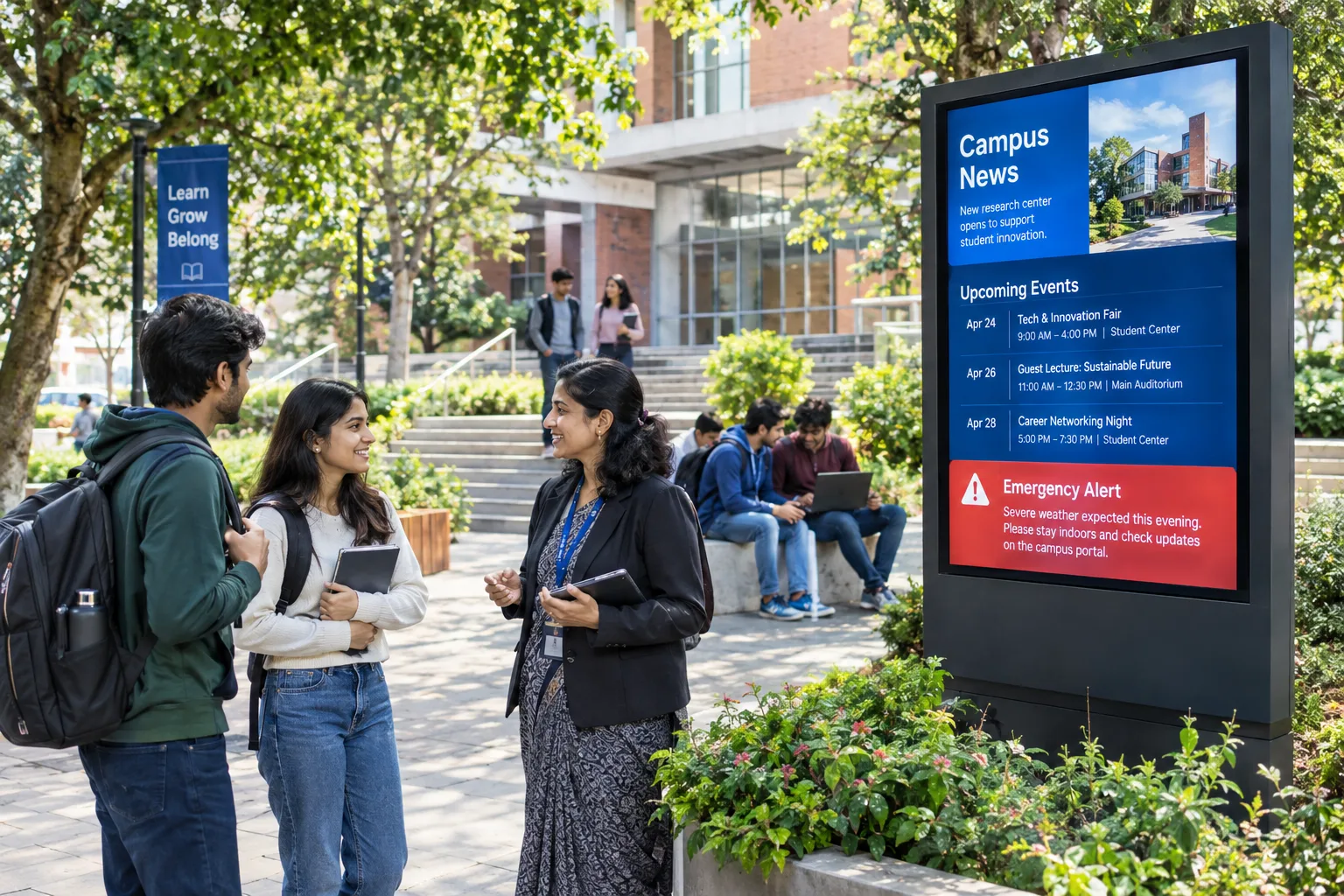

On bustling school and university campuses, communicating with students, faculty, and visitors is an ongoing challenge. Paper notices and static boards no longer keep pace with the speed and diversity of campus life. Digital signage offers a flexible, real-time solution—but only when deployed with a clear strategy and ongoing management. This article breaks down practical steps, useful examples, and troubleshooting tips to help educational leaders build a digital signage network that truly connects their community.
Key Takeaways
- For Campus Digital Signage: Practical Tactics for Engaging Students and Staff, define one measurable objective and KPI before scaling execution.
- Operationally prioritize practical tactics for engaging students and staff.
- Translate practical tactics for engaging students and staff into a weekly execution and reporting cadence across locations.
Digital Signage Strategy
Understanding the Role of Digital Signage in Education
Digital screens can serve a range of functions across educational environments. When thoughtfully placed, they become more than just digital notice boards—they transform into dynamic communication hubs. Key uses include:
- Emergency alerts: Broadcast urgent safety messages instantly across the campus.
- Event promotion: Advertise cultural fests, seminars, and club meetings with eye-catching visuals.
- Wayfinding: Guide new students and visitors with interactive maps or directional signage.
- Academic updates: Share exam schedules, results, and faculty announcements in real time.
- Celebrating achievements: Highlight student awards, sports victories, and faculty milestones.
Strategic Planning: Setting Your Digital Signage Goals
Before investing in screens or software, clarify what you want to achieve. Here’s how to lay a solid foundation:
- Define your core objectives: Do you want to improve emergency communication, reduce paper use, or boost event attendance?
- Identify high-traffic and high-impact areas: Entrances, cafeterias, libraries, and waiting zones are prime spots.
- Assess your campus infrastructure: Ensure reliable power and network connectivity at each planned screen location.
- Align with your IT team: Confirm that your chosen signage software, such as Signmitra, supports your preferred display devices and operating systems.
- Plan for content types: Will you display static notices, videos, live data feeds, or interactive kiosks?
Content Creation: Bringing Screens to Life
Effective campus signage relies on fresh, relevant content. Here are proven tactics to keep your displays engaging:
- Use education-focused templates: Platforms like Signmitra offer ready-made layouts for event schedules, announcements, and achievements, saving time and ensuring a professional look.
- Match content to the audience and time: Schedule student-focused messages during class hours, and facility updates for staff in the mornings.
- Mix media formats: Rotate images, short videos, and live feeds such as weather or news to maintain interest.
- Highlight local relevance: Feature campus-specific news, birthdays, or club activities to foster community spirit.
- Regularly refresh content: Assign staff to update displays weekly, and use reporting tools to review which messages resonate most.
Deployment Checklist: Steps for a Smooth Rollout
- Audit campus locations: Check for visibility, accessibility, power, and network access at each intended screen spot.
- Select compatible hardware: Confirm that your screens and media players are supported by your signage platform.
- Set up your signage CMS: Use a central platform like Signmitra for content scheduling, screen grouping, and monitoring.
- Create sample content: Leverage templates and widgets to quickly build test announcements and event boards.
- Assign user roles: Designate who can update content, approve posts, and monitor screen status.
- Launch a pilot phase: Deploy in a few key locations first, gather feedback, and resolve any technical issues.
- Train staff and students: Provide quick guides or workshops on updating content and using emergency workflows.
- Scale up gradually: Expand to more screens based on lessons learned and evolving campus needs.
Real-World Examples: Making the Most of Your Screens
- Exam Countdown Boards: Display live countdowns to exam dates in student lounges, reducing anxiety and boosting preparedness.
- Interactive Info Kiosks: Place touch-enabled screens at main entrances to help visitors find departments, faculty offices, or event venues.
- Achievement Walls: Dedicate a screen to celebrate recent student awards, sports wins, and alumni success stories.
- Event Live Streams: Use video walls in auditoriums to broadcast major events or guest lectures campus-wide.
Troubleshooting and Common Pitfalls
- Device compatibility issues: Always check hardware support before purchase; test with your CMS in advance.
- Network outages: Choose a platform with offline playback capabilities, so screens continue showing scheduled content even if connectivity drops.
- Cluttered displays: Prioritise clarity—limit messages per screen and use readable fonts and colours.
- Stale content: Set calendar reminders for regular updates to avoid outdated information undermining trust.
- Insufficient user training: Rotate training among staff and assign clear responsibilities for emergency and daily updates.
Conclusion: Connecting Your Campus Community
Digital signage, when planned and managed well, becomes a vital part of campus life—improving safety, boosting engagement, and streamlining communication. By defining clear goals, selecting the right tools, and focusing on relevant content, educational institutions can create a connected, informed, and engaged campus environment. Platforms like Signmitra support centralised management and offer features tailored for educational needs, making the transition to digital signage more accessible and impactful. With ongoing attention and adaptation, your screens can become a trusted source of information and pride for your entire campus community.
See Campus Digital Signage in action
Book a personalized walkthrough focused on on bustling school and university campuses, communicating with students, faculty, and visitors is an ongoing challenge, with rollout and measurement steps for your screens.
Explore Signmitra digital signage software or book a demo to evaluate this workflow for your screens.




