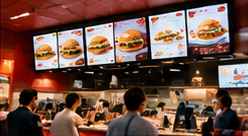

Many QSR and cafe operators face the same morning rush: customers glance up at the digital menu, hesitate, and then ask for clarification or take extra time to order. This slows down the queue and can reduce both order count and the average order value, especially if customers miss high-margin add-ons or combos. The root cause is often a menu board that lacks clear hierarchy, logical grouping, or real-time accuracy on price and availability.
To help customers choose confidently and quickly, your digital menu board must present core items, pricing, choice variants, add-ons, combos, and time-sensitive offers in an organised, visually clear layout. Below, we break down how to structure this hierarchy, provide a sample text-based panel layout, and outline a daily menu verification process. We also explain how to evaluate your menu board’s impact on order value and queue times without overpromising results.
Key Takeaways
- Menu hierarchy and grouping directly impact customer order speed and clarity.
- Daily pre-opening checks are essential for price, offer, and availability accuracy.
- Assessing digital menu impact requires tracking order value, margin, and queue metrics together.
Structuring Your Digital Menu Board: Hierarchy and Clarity
Digital menu boards in QSRs and cafes should follow a clear hierarchy to guide customers quickly from core decisions to upgrades and add-ons. Here’s a recommended order:
- Core Items: Main categories such as Burgers, Sandwiches, Coffee, or South Indian Specials.
- Price Visibility: Each item must display its current price, checked daily by staff for accuracy.
- Choice Variants: Variations such as size (Regular, Large), protein (Paneer, Chicken), or bread type.
- Add-ons and Extras: Cheese, extra shot, sauces, or sides, typically shown as optional with clear pricing.
- Combos and Offers: Bundled deals, meal combos, or time-limited specials, ideally highlighted in a dedicated section or panel.
- Availability and Dayparts: Clearly mark items available only during breakfast, lunch, or specific hours; hide or dim unavailable items automatically or manually.
Sample Digital Menu Board Layout (Text Format)
Below is a fictional example for a QSR cafe. This is a text-only layout; adapt for your screen size and branding:
On smaller screens, scroll sideways to view every column.| Category | Item | Price / option |
|---|---|---|
| Coffee | Cappuccino | Regular ₹110; large ₹140 |
| Coffee | Latte | Regular ₹120; large ₹150 |
| Tea | Masala chai | ₹60 |
| Snacks | Vegetable sandwich | ₹90; cheese add-on ₹20 |
| Snacks | Regular fries | ₹60 |
| Illustrative breakfast combo | Sandwich + chai + fries | ₹180; individual total ₹210; saves ₹30 |
| Illustrative breakfast combo | Regular cappuccino + sandwich | ₹180; individual total ₹200; saves ₹20 |
Set the actual breakfast service window and show what replaces these offers afterward. Use restaurant-approved product and allergy information; refer questions to trained staff.
Legend: R = Regular, L = Large. All prices must be checked and approved by staff before display.
Pre-Opening Digital Menu Board Checklist
Before opening each day, assign a staff member to perform these checks on every menu panel:
- Verify Prices: Cross-check menu board prices against the POS and master price list.
- Check Availability: Mark out-of-stock or unavailable items; hide or grey out as needed.
- Update Offers: Ensure time-limited combos or specials display only during active hours.
- Test Variants/Add-ons: Confirm options (like extra cheese) are shown with correct pricing.
- Screen Functionality: Confirm all screens are powered on and content is visible and current.
- Escalation Path: If discrepancies found, notify the manager and pause customer access to affected screens until fixed.
Evaluating Menu Board Impact: Order Value, Margin, and Queue
To understand if your digital menu board is helping customers choose faster and increasing average order value (AOV) without hurting margins or queue times, track these metrics:
- Average Order Value (AOV): Total sales divided by order count during a time period. For example, if sales from 8–11am are ₹18,000 from 120 orders, AOV = ₹150 (illustrative, assumes all orders are dine-in).
- Order Count: Number of transactions per hour or day. Compare before and after menu changes.
- Item Margin: Calculate menu item margin (selling price minus cost of goods) for promoted items. If combos have lower margin, ensure volume compensates.
- Queue Time: Observe arrival and completion times with a simple anonymous tally. POS timestamps alone may not record when the customer joined the queue.
Compare these metrics over several weeks. Note: a higher AOV is not always positive if margin per order falls or queues become unmanageable. For example, if combo deals increase AOV but margin drops by 10%, review the offer structure.
Common Failure: Neglecting Real-Time Menu Accuracy
One of the most frequent errors is leaving outdated prices, unavailable items, or expired offers on display. This frustrates customers and can lead to disputes at the counter. Always verify menu content before each service window and update as soon as availability or pricing changes.
Conclusion
A well-structured digital menu board helps customers make confident, quick choices—improving order flow and supporting upsells. Success depends on clear menu hierarchy, daily verification, and careful analysis of order value, margin, and queue data. Use these principles and the checklist above to make your QSR or cafe menu board a real asset to your operations.
Related Reading
- Cafe Menu Board Calendar: Dayparts and Offer Expiry
- Menu Board ROI: Check Basket Value Without Losing Margin
Try this with your own screens
On your trial screen, set up a menu panel with core items, variants, and a combo section. Have staff check pricing and availability before opening, then review order and queue data for that shift to spot any confusion or bottlenecks.
Compare plans for your screen requirements.




