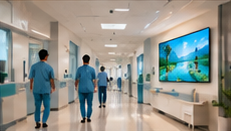

Hospitals face a practical challenge when installing digital signage in reception and waiting areas: how to choose and set up hardware that is clearly visible to both seated and standing visitors, safe in busy walkways, easy to clean, and distinct from sensitive clinical equipment. This article addresses the unique technical and operational requirements for these public-facing zones, guiding facility teams through selection, placement, and testing—without overstepping into the clinical environment or making unsupported claims about certifications.
Key Takeaways
- Reception/waiting area screens must balance visibility, safety, and silent operation.
- Placement and cable management require a site inspection checklist.
- Hardware validation includes a compatibility and reboot test, separate from clinical equipment.
1. Viewing Angles and Readability: Seated and Standing Visitors
Reception and waiting areas see a wide range of visitor postures. To ensure information screens are effective:
- Screen Height: Mount screens so the center is roughly 120–140 cm from the floor; this suits both standing adults and seated patients.
- Viewing Angle: Use displays with a wide viewing angle (typically 178° horizontal/vertical, as listed in specs) to ensure clarity from side seats and across the room.
- Font and Contrast: Choose hardware with high brightness and anti-glare coatings to maintain readability under varied lighting. Use large, high-contrast text in your content.
- Reflections: During installation, check for direct sunlight or overhead lighting that could produce glare; adjust tilt or reposition the display if needed.
2. Reflections, Ambient Noise, and Silent Operation
Hospital lobbies are often filled with natural and artificial light, as well as ambient noise. Hardware selection should address:
- Reflections: Prefer matte or anti-glare display panels. Test the location at different times of day for sunlight or harsh lighting.
- Ambient Noise: Rely on visual information, as sound-based alerts or announcements may not be heard. Avoid hardware with fans or moving parts that add to background noise—look for fanless or passively cooled players and screens.
- Silent Operation: Verify that all components, including media players, operate quietly. In a quiet waiting area, even a small fan can be disruptive.
3. Cable Safety and Cleaning Requirements
Busy reception areas require strict cable management and easy-clean surfaces:
- Cable Routing: Use trunking or conduit to secure cables along walls or above ceilings. Avoid running cables on the floor or across open spaces.
- Socket Placement: Position power and network outlets behind or above the display to minimize cable exposure.
- Cleaning: Select enclosures and screens with smooth, sealed surfaces for easy wiping. Confirm with facilities that chosen materials can withstand frequent cleaning with hospital-approved disinfectants.
- Access: Ensure that maintenance staff can safely reach hardware for cleaning without moving heavy furniture or creating tripping hazards.
4. Distinguishing Information Screens from Clinical Equipment
It is essential that digital signage in public areas is never confused with clinical displays or diagnostic devices. To avoid confusion:
- Placement: Keep information screens out of treatment zones and away from clinical workstations.
- Marking: Use clear visual cues (e.g., colored bezels or signage) to differentiate info screens from medical monitors.
- Content: Only display general information, directions, or entertainment—not patient data or clinical alerts.
- Coordination: Consult with clinical engineering or IT to verify there is no risk of electromagnetic interference or mistaken identity.
5. Placement Inspection and Compatibility/Reboot Test
Before going live, conduct a thorough inspection and validation:
On smaller screens, scroll sideways to view every column.| Step | Owner | Output | Exit Check |
|---|---|---|---|
| Site walk-through | Facilities | Marked screen locations | No obstructions, safe height |
| Cable route planning | IT/Facilities | Trunking plan | No exposed/trip-risk cables |
| Hardware mounting | Installer | Secure, level screens | No wobble, accessible for cleaning |
| Power/network test | IT | Connected devices | Stable power, network signal |
| Content loading | IT/Signage admin | Intended playlist running | Visible, correct content on screen |
| Compatibility/reboot test | IT | Player rebooted | Screen resumes content and reconnects to CMS after restart |
| Cleaning trial | Facilities | Surface cleaned | No damage, no residue |
Note: For the compatibility and reboot test, load the intended content on each player, verify it displays correctly, and restart the device to confirm it reliably reconnects to the content management system and resumes playback. This should be performed for each unique hardware/CMS combination, as automatic resumption is not always guaranteed.
Common Failure to Avoid
A frequent mistake is treating reception or waiting area screens as an extension of clinical hardware, leading to confusion, inappropriate placement, or failure to meet cleaning and noise standards. Always keep public information displays separate from clinical systems, both physically and operationally.
Conclusion
Choosing and placing digital signage hardware for hospital reception and waiting areas is a multi-step process involving visibility, safety, silent operation, and ongoing cleaning—distinct from clinical use cases. By following a structured inspection and validation checklist, facility teams can ensure their signage is effective, low-maintenance, and safe for all visitors.
Related Reading
- Hospital Signage: A 90-Day Pilot and Rollout Plan
- Hospital Signage Privacy: A Practical Publishing Checklist
Try this with your own screens
During your trial, load your intended playlist on a test screen in a waiting area, then restart the device to confirm that content displays correctly and the player reconnects to your CMS without manual intervention.
Discuss your setup for your screen requirements.




