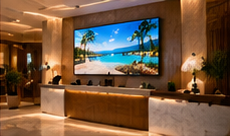

Hotel operations teams often face a practical challenge: how to launch digital signage across lobby, breakfast, and event spaces without confusion, missed updates, or language barriers. A phased 90-day plan, with clear team responsibilities and milestone checks, helps ensure a smooth rollout while supporting both front-desk and events staff. This article provides a concrete framework, including translation requirements and a fallback for urgent event changes.
Key Takeaways
- Stage screens by priority: lobby first, then breakfast/amenity, then banquet rooms.
- Assign content update responsibility by area and shift, with overnight checks.
- Set clear milestones and exit gates for each 30-day phase of rollout.
Phase 1 (Days 1–30): Lobby Information Screens
Objective: Launch digital signage in the main lobby to display check-in/out times, key amenities, and safety information. These screens set guest expectations and reduce repetitive queries at the front desk.
- Owner: Front Desk Manager
- Daily content: Check-in/out hours, guest Wi-Fi access instructions, key contacts, basic amenities, and venue-approved information. Prepare versions in major guest languages (e.g., English, Hindi, local language).
- Milestone/Exit Gate: At Day 30, all lobby screens must display up-to-date, translated information with a daily check process by the front desk supervisor.
Phase 2 (Days 31–60): Breakfast and Amenity Messaging
Objective: Extend signage to breakfast areas and amenities (spa, gym, pool). Display meal timings, menu highlights, and amenity hours, reducing guest confusion and supporting upsell opportunities.
- Owner: F&B Manager (breakfast), Amenities Supervisor (spa/gym/pool)
- Daily content: Breakfast timings, menu features, spa/gym hours, and seasonal offers. Prepare translated content as needed.
- Milestone/Exit Gate: By Day 60, all breakfast and amenity screens must show current schedules and offers, with staff trained to update content and confirm translations.
Phase 3 (Days 61–90): Banquet and Event Room Displays
Objective: Enable events teams to update banquet room signage with daily event schedules, room assignments, and last-minute changes. Screens should support multiple languages for guest clarity.
- Owner: Events Coordinator (daytime), Duty Manager (overnight/late changes)
- Daily content: Event names, timings, room assignments, and directional arrows. Prepare fallback generic templates for unplanned changes.
- Milestone/Exit Gate: At Day 90, events teams must demonstrate updating all banquet screens—including translations and fallback options in case of urgent changes—using a standard checklist.
Assigning Team Responsibilities and Daily Checks
Clear content ownership avoids confusion and missed updates. Use this simple template for each area:
On smaller screens, scroll sideways to view every column.| Area | Primary Owner | Backup (Overnight/Duty) | Daily Content Check |
|---|---|---|---|
| Lobby | Front Desk Supervisor | Duty Manager | Before 7am shift |
| Breakfast | F&B Supervisor | Duty Manager | Before 6am |
| Banquet Rooms | Events Coordinator | Duty Manager | By 8am, plus on-demand for late changes |
Translation and Multilingual Content
For guest-facing messages, pre-prepare translations for key service info and event titles. Store approved translated phrases in a shared document or content library, so the overnight team can quickly swap to the correct language version if needed. Confirm that your chosen digital signage system supports uploading and manually switching between multiple language versions for each template or playlist.
Handling Last-Minute Banquet Room Reassignment
Illustrative scenario: At 11pm, a wedding is moved from Ballroom A to Ballroom C due to a maintenance issue. The events team has left for the day. What should happen?
- Duty Manager receives update from maintenance or front office.
- Access the signage dashboard (using the correct login credentials) from a hotel terminal.
- Update banquet room screens:
- If pre-made templates exist, select the new event-room pairing and publish the update.
- If not, use a generic 'Event relocated to Ballroom C' template (with translations if needed).
- Verify on-screen update by physically checking Ballroom A and C displays.
- Log the change in the duty handover register for the morning events team.
Common Failure: No Overnight Update Process
Many hotels stumble by not assigning overnight update responsibility. If an event room change occurs after hours and no one is tasked or trained to update the screens, guests may be misdirected, leading to confusion and complaints. Always ensure the duty manager or overnight supervisor is trained and has access to update essential screens, following a simple checklist for accuracy.
Conclusion
A phased 90-day digital signage rollout—lobby, then breakfast/amenity, then banquet—lets hotels build guest confidence and staff competence step by step. Assigning area-based content ownership, preparing translated content in advance, and having overnight procedures for last-minute changes are crucial for success. Regular milestone checks help catch gaps early and ensure all teams are ready before the next phase.
Related Reading
- Hotel Screen Calendar: Services, Events and Seasonal Offers
- Hotel Signage ROI: Service Uptake and Notice Update Costs
Try this with your own screens
On a trial or demo screen, assign responsibility for a single area (like the lobby) to one team member, and have them update content in two languages. Check if the change is visible on the display and review the process for overnight updates.
Discuss your setup for your screen requirements.




