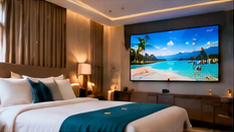

Imagine this: a new event coordinator uploads a rooming list to the hotel’s digital signage system, intending to share only the conference agenda. Minutes later, a guest notices their full name and room number on a public lobby screen. In the hospitality sector, such lapses can damage guest trust, breach privacy expectations and even risk regulatory scrutiny. With multiple staff, suppliers and event partners handling content, how can busy hotel teams reliably prevent these errors?
This article provides a practical review and approval checklist for handling sensitive guest and event data on hotel digital signage. It also covers how to respond if a rooming list or reservation screenshot is mistakenly uploaded, and details a step-by-step supplier-access offboarding process. Every recommendation can be implemented with a combination of team discipline and standard signage software features—no legal advice or certifications required.
Key Takeaways
- Always review guest and event uploads for sensitive data before publishing to screens.
- Set approval workflows for event titles, sponsor artwork, and timely content removal.
- Follow a clear incident response and supplier offboarding process to limit exposure.
1. Sensitive Data to Inspect Before Display
Before publishing any content to public screens, use this inspection checklist for common sensitive items:
- Guest Names & Room Numbers: Never display individual guest names, room numbers, or reservation details unless explicitly approved for a closed event area. For example, a welcome message should be generic ("Welcome Conference Guests") rather than listing individuals.
- Conference Attendee Lists: Do not publish attendee or rooming lists to public areas. If a list is needed for a private function, confirm the display location and audience in advance.
- Reservation Screenshots & Live URLs: Avoid uploading reservation screenshots, booking confirmation images, or links to live reservation systems. These often contain personal or financial data.
- Event Titles & Sponsor Artwork: Review all event titles and sponsor artwork for accuracy, appropriateness, and compliance with event agreements.
Assign a content approver—often the front office manager or event coordinator—who is responsible for reviewing uploads before they are scheduled to screens.
2. Approval and Removal Workflow for Event Content
To maintain privacy and operational discipline, set a clear workflow for event-related content:
- Upload: Staff or suppliers upload event agendas, sponsor logos, or welcome messages to the signage CMS.
- Review: A designated approver checks each item for sensitive information and visual errors.
- Schedule/Publish: Only after approval, content is scheduled for display in the correct locations and times.
- Event End: Immediately after the event, remove or replace all event-specific slides, sponsor materials, and attendee references from the screens and media library.
Document each approval and content removal step using a simple log (digital or paper) with date, time, and responsible person.
3. Mistaken Rooming List Upload: Response Template
If a rooming list or other sensitive guest data is accidentally uploaded or displayed, follow this response process:
- Immediate Removal: Take the affected content offline from all screens as soon as the error is detected.
- Notify Management: Inform the duty manager and IT/security lead of the incident, providing time, location, and details of the exposed data.
- Check Exposure: Identify which screens and for how long the data was visible. If guest names/room numbers were involved, note the possible number of viewers.
- Review Upload Logs: Check who uploaded and approved the content. Confirm whether any unauthorized changes occurred.
- Communicate as Needed: If required by policy, notify affected guests or event organizers, explaining the error and the corrective steps taken.
- Update Training: Remind staff and suppliers of the review checklist and approval steps to prevent recurrence.
4. Supplier and External Access Offboarding Checklist
When an external supplier, event partner, or staff member with signage system access leaves or their engagement ends, promptly follow this offboarding checklist:
On smaller screens, scroll sideways to view every column.| Step | Task | Owner | Timing |
|---|---|---|---|
| 1 | Revoke CMS user credentials (if applicable) | IT/Admin | Immediately |
| 2 | Remove event-specific content from media library | Signage Admin | Day of offboarding |
| 3 | Audit scheduled content for lingering references | Signage Admin | Day of offboarding |
| 4 | Update internal access list to reflect changes | IT/Admin | Within 24 hours |
| 5 | Remind team of incident response protocol | Manager | Within 24 hours |
Keep the checklist updated and review it monthly or after any incident involving external users.
5. Common Failure: Relying Solely on Automation
Many hotels attempt to automate content publishing with templates or integrations. However, automation alone cannot reliably detect sensitive guest data (such as personal names buried in a spreadsheet or a screenshot). Always require human review of uploads that could contain identifiable information. Periodically audit the process to ensure compliance, especially after staff turnover or major events.
Conclusion
Effective privacy protection for hotel digital signage is less about complex technology and more about disciplined team processes. By following the checklists above, hotels can reduce the risk of displaying sensitive guest or event data and respond quickly if mistakes happen. Regular reviews and clear responsibility for approvals and offboarding are the foundation of a secure and professional signage operation.
Related Reading
- Hotel Signage ROI: Service Uptake and Notice Update Costs
- Hotel Signage: A 90-Day Lobby and Banquet Rollout
Try this with your own screens
During your trial or demo, upload a sample event agenda and sponsor logo. Assign a team member as content approver. Verify that only reviewed content is scheduled for display, and that old event materials are removed after the event.
Discuss your setup for your screen requirements.




