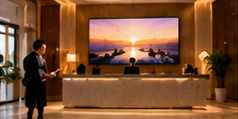

Many hotel managers struggle to keep lobby, lift, and banquet digital screens up to date with the right information for guests. The challenge is to serve reliable daily schedules, room directions, and event details without exposing guest data or missing last-minute changes. A well-structured content loop for each area, combined with clear daily ownership and a routine for collecting guest questions, can make signage a valuable part of your guest experience—without creating confusion or extra work.
Let’s walk through how to design and operate distinct content loops for a typical day at a fictional hotel, using practical tools and roles that fit Indian hospitality settings. We’ll show which information is stable, what needs urgent updates, and how to plan for recurring questions.
Key Takeaways
- Design separate content loops for lobby, lift, and banquet, matched to guest needs and screen location.
- Assign daily content ownership and use a log for urgent changes and recurring guest questions.
- Keep personal guest info off screens; only display public event and service details.
Sample Hotel Day: Three Content Loops
Imagine the "Sunrise Grand" hotel on a typical Thursday:
- Lobby: Guests arrive for check-in and seek breakfast timings, WiFi info, and directions.
- Lift Waiting Area: Guests want quick floor directions and event locations as they wait.
- Banquet Entry: A private event, "Rao Family Reception," is scheduled from 7pm; staff check names at the door.
Each area serves a different guest flow, so each screen needs its own loop and update rhythm.
Lobby Screen Content Loop
- Welcome message and hotel branding
- Check-in/check-out timings
- Breakfast hours (e.g., "Breakfast: 7:00am – 10:30am, Orchid Restaurant, 1st Floor")
- WiFi access instructions (without passwords on public screens)
- Key service highlights (e.g., "Pool open: 6am – 8pm")
- Room direction map (simple, no personal info)
- Contact for assistance (front desk extension)
Lift Area Content Loop
- Floor directory (e.g., "2nd Floor: Deluxe Rooms 201–220 | 7th Floor: Banquet Halls")
- Current/upcoming events today (public only)
- Short safety reminders (e.g., "Please do not use lifts during fire alarm")
Banquet Entry Content Loop
- Event name and timing (e.g., "Rao Family Reception, 7:00pm – 11:00pm")
- Hall location and entry instructions
- Reminder: "Please confirm your invitation at the desk"
- Wayfinding arrows or maps
- General facility announcements (no guest names)
Template: Daily Content Ownership & Update Log
On smaller screens, scroll sideways to view every column.| Location | Owner | Update Time | Stable Info | Urgent Changes |
|---|---|---|---|---|
| Lobby | Front Desk Supervisor | 7:00am | Breakfast, check-in/out, directions | Service closure, emergency alerts |
| Lift Area | Duty Manager | 6:45am | Floor directory, events | Lift maintenance, event delay |
| Banquet | Banquet Coordinator | 12:00pm | Event name, timings | Last-minute hall change |
Each owner checks their content loop at the start of shift and logs any urgent change requests. For example, if the banquet hall shifts due to maintenance, the coordinator updates the screen content and notes the time and reason in the log.
How to Separate Stable and Urgent Information
- Stable info (scheduled services, standard directions) is set in advance and reviewed daily.
- Urgent changes (maintenance, emergency notices, event delays) require a fast route for screen update. Owners should have direct CMS access or a clear escalation process.
- Never display guest personal data, room numbers, or confidential event details on public screens.
Collecting Recurring Guest Questions
To make content more useful, collect guest queries at each location:
- Place a simple paper or digital log at the front desk and banquet reception to note repeated questions (e.g., “Where is the spa?” “What time is breakfast extended on holidays?”).
- Review logs weekly to identify new FAQs or unclear information.
- Update content loops to address common questions (e.g., adding a spa location to the lift screen directory).
Common Failure: Outdated or Incomplete Loops
A frequent issue is screens showing yesterday’s events or missing urgent changes because no one is assigned to check updates. This leads to guest confusion and extra pressure on staff. Avoid this by:
- Assigning daily owners for each screen loop.
- Using a simple log for all changes and review times.
- Training staff to escalate urgent updates promptly.
Conclusion
Effective hotel digital signage depends on clear, location-specific content loops, daily ownership, and a routine for learning from guest questions. By separating stable service information from urgent changes and keeping personal data off screens, hotels can make signage a real asset for both guests and staff. Test your workflow with a typical day’s schedule and assign owners before rolling out across your property.
Related Reading
- Hotel Screen Calendar: Services, Events and Seasonal Offers
- Hotel Signage ROI: Service Uptake and Notice Update Costs
Try this with your own screens
On your trial screen, create separate playlists for lobby, lift, and banquet areas using only public service and event info. Assign update responsibility to different staff for each playlist and review if urgent changes can be made quickly.
Compare plans for your screen requirements.




