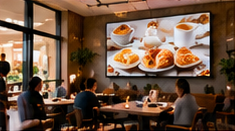

Launching digital menu boards in a quick-service restaurant (QSR) is not just about putting screens on the wall. The real challenge is ensuring that every menu item, price, and offer displayed is accurate and up-to-date across breakfast, lunch, and evening service. Mistakes in menu data can lead to customer frustration, staff confusion, and lost sales. This article provides a concrete 90-day plan for piloting digital menu boards in one store before wider rollout, with a focus on data ownership, accuracy, operational checks, and fallback processes.
Key Takeaways
- Assign a dedicated menu-data owner with clear responsibilities for updates and checks.
- Build phased accuracy gates and fallback processes into your rollout timeline.
- Test menu readability and availability for all dayparts before full expansion.
Step 1: Define Menu Data Ownership and Processes (Weeks 1–2)
The first step is to appoint a single menu-data owner—typically a store manager, chef, or marketing lead—who will be responsible for:
- Entering and updating menu items, prices, and descriptions in the digital signage CMS.
- Reviewing option availability (e.g., breakfast only, lunch combos, limited-time offers).
- Setting offer start and end dates within the system.
- Performing final checks before publishing any changes.
Document these responsibilities and set a weekly review schedule. Use a simple checklist (example below) for every menu update:
On smaller screens, scroll sideways to view every column.| Item | Action | Owner | Status |
|---|---|---|---|
| Prices | Verify vs. POS | Menu-data owner | ✔️ |
| Options | Check for daypart & availability | Menu-data owner | ✔️ |
| Offer Dates | Set correctly in CMS | Menu-data owner | ✔️ |
| Descriptions | Check for clarity & accuracy | Menu-data owner | ✔️ |
Step 2: Pilot Menu Board Content & Fallback (Weeks 3–6)
Prepare digital menu board layouts for all dayparts. Use templates from your CMS to ensure consistency and readability. For each menu cycle (breakfast, lunch, evening):
- Test on an actual screen in-store, checking font size, contrast, and item visibility from the customer queue.
- Cross-verify displayed prices and items with the printed menu and POS system.
- Prepare printed menus as a fallback. Place them at the counter and train staff to reference them if the digital screen fails or restarts.
After any system or power restart, instruct staff to check the digital menu against the printed fallback to confirm correct data is displaying. Document any mismatches and report them for correction.
Step 3: Staff Verification and Menu Accuracy Gates (Weeks 7–10)
Before each service period (breakfast, lunch, evening), assign a staff member to:
- Review the digital menu for accuracy and completeness.
- Check for expired offers or unavailable items still being displayed.
- Run a quick readability test—can all prices and main items be read from the customer line?
Set up a simple log (paper or digital) for staff to record these checks each day. This ensures that any errors are caught early, before impacting customers.
Step 4: Monitor, Adjust, and Prepare for Scale (Weeks 11–13)
Review feedback from the pilot phase, focusing on:
- Any recurring menu data errors or timing issues (e.g., breakfast menu lingering past 11am).
- Staff reports of screen outages or incorrect fallback use.
- Customer confusion or questions about menu items or prices.
Adjust menu data processes, retrain staff if needed, and refine your accuracy checklists. Only proceed to wider rollout once the following exit checks are met:
- Menu data is consistently accurate for all dayparts over at least two weeks.
- Staff can reliably use the printed fallback and verification logs after a restart.
- No unresolved display or readability issues remain.
Illustrative Timeline Table
On smaller screens, scroll sideways to view every column.| Phase | Weeks | Main Actions | Output |
|---|---|---|---|
| Ownership | 1–2 | Assign owner, document process | Menu data checklist |
| Pilot Content | 3–6 | Test screens, setup fallback | Active digital & printed menus |
| Verification | 7–10 | Daily staff checks & logs | Accuracy log |
| Review & Scale | 11–13 | Fix issues, confirm readiness | Exit check report |
Common Failure to Avoid
One frequent mistake is assuming the digital menu board always updates instantly and accurately after a restart or network issue. In reality, offline playback depends on the player and cached content, and new updates require connectivity. Always use a printed fallback and require staff to verify menu accuracy after any restart or outage.
Conclusion
Rolling out digital menu boards in a QSR requires more than just technology—it needs clear ownership, phased accuracy checks, staff training, and reliable fallback processes. By following this 90-day plan, you can ensure your pilot location delivers reliable, accurate menu information across all service periods, setting the foundation for a successful larger rollout.
Related Reading
- Cafe Menu Board Calendar: Dayparts and Offer Expiry
- Menu Board ROI: Check Basket Value Without Losing Margin
Try this with your own screens
On your trial screen, assign a staff member as menu-data owner and test updating a breakfast price. After a system restart, have staff verify the digital menu matches the printed fallback and note any discrepancies for correction.
Discuss your setup for your screen requirements.




