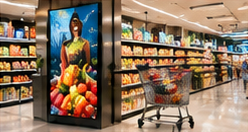

Many retail teams struggle to choose the right digital signage screens for windows, aisles, and checkout counters. The wrong choice leads to unreadable displays, wasted investment, and difficult maintenance. The challenge is that each location type faces different lighting, sightline, and access constraints—yet hardware is often selected by generic spec sheets or a universal brightness number.
This guide explains how to compare and select signage hardware for each retail zone. You'll find a practical selection matrix, instructions for a store survey, and a realistic acceptance test checklist for new store openings or equipment reboots.
Key Takeaways
- Screen needs vary by window, aisle, and checkout zone—avoid one-size-fits-all choices.
- Use a photo-and-measurement survey to document ambient light, viewing angles, and access.
- Acceptance testing should cover startup, content playback, and service access for each screen.
Comparing Zone Needs: Window, Aisle, and Checkout
Window Displays: Face the toughest conditions. Direct sunlight and glare can wash out content, so screens must be readable in high ambient light. Window screens are often mounted high or at awkward angles, making maintenance and cabling more complex.
Aisle Screens: Need to be visible from multiple directions and at close range. Sightlines are blocked by shelves or displays, so placement and orientation matter more than raw brightness. Aisle screens are often mounted overhead or on shelf edges.
Checkout Displays: Are usually viewed from a fixed customer position, but at varying distances and angles. Glare from overhead lighting is common, and screens must not obstruct staff movement. These screens may also need privacy filters or reinforced mounts.
Selection Matrix: Hardware Factors by Zone
On smaller screens, scroll sideways to view every column.| Factor | Window | Aisle | Checkout |
|---|---|---|---|
| Ambient Light | High (direct sunlight/glare) | Moderate (store lighting) | Variable (overhead/spotlight) |
| Operating Hours | Often full store hours | Store hours, sometimes 24/7 | Store hours |
| Orientation | Landscape/portrait, sometimes angled | Landscape or shelf-edge | Landscape, fixed angle |
| Mounting | Window brackets, wall/ceiling | Ceiling, shelf, pole | Counter, wall, pole |
| Cabling | Long runs, window-safe routing | Above ceiling or behind shelves | Under counter, short runs |
| Player Service Access | Difficult; remote access preferred | Moderate; access ladder may be needed | Easy; should not disrupt checkout |
Photo-and-Measurement Survey: Site Preparation
Before choosing hardware, conduct a survey for each screen location:
- Take clear photos of each proposed screen site at multiple times of day. Capture sunlight, shadows, and reflections.
- Measure ambient light using a simple lux meter or a light meter app, at the exact mounting height and orientation.
- Record viewing distances and angles from typical shopper positions. Note any obstructions (displays, pillars, signage).
- Check wall or surface material (glass, concrete, drywall) for mounting compatibility.
- Map power and network access—note distance to nearest outlet and data/network point.
- Assess service access: Is a ladder or special tool needed? Can players be reached without moving fixtures?
Document findings in a simple table. This ensures hardware choices are based on real conditions, not assumptions.
Sample Site Survey Table
On smaller screens, scroll sideways to view every column.| Location | Photo ID | Ambient Light (lux) | Viewing Distance (m) |
|---|---|---|---|
| Window 1 | IMG_001 | 35,000 | 3.5 |
| Aisle 2 | IMG_003 | 800 | 1.8 |
| Checkout 1 | IMG_006 | 1,200 | 0.8 |
Common Mistake: Universal Brightness/Spec Minimums
A frequent error is to specify a single minimum brightness or RAM for every screen, regardless of environment. For example, a window display may need a much higher brightness to overcome sunlight, but aisle screens in a well-lit store may look harsh or waste power if over-specified. Similarly, RAM and player specs should match the content type and update frequency—not a generic maximum.
Instead, use your survey data to set requirements for each zone. For window screens, prioritize high contrast and anti-glare coatings. For aisle and checkout, consider viewing angle and ease of service access.
Acceptance Test: Store Opening or Reboot
After installation, perform a practical acceptance test at each screen and player. This is not automated—it's a hands-on operational check:
- Power on/off: Each screen and player should start and shut down properly from the intended power source (main switch, UPS, etc.).
- Content playback: Test scheduled content for visibility, correct colour, and smooth playback at typical viewing angles and distances.
- Ambient light check: Confirm that content is readable in actual store lighting at the planned time of day.
- Network test: Confirm player connection to the network and ability to receive updates, where required.
- Service access: Ensure that maintenance (such as player restart or cable check) is possible without major disruption.
Document any issues for follow-up before the store opens or reboots. Repeat after major changes or if persistent faults occur.
Conclusion
Successful retail signage hardware selection requires matching each screen to its real environment—window, aisle, or checkout. With a structured survey, zone-specific hardware matrix, and a practical acceptance test, retail teams can avoid costly mistakes and deliver readable, reliable screens throughout the store.
Related Reading
- Retail Signage: A 90-Day Store Rollout Plan
- Retail Signage Access: Protect Prices and Promotion Changes
Try this with your own screens
During a trial or demo, check the visibility and readability of your sample content on a test screen placed near a window and in an aisle. Document any glare or viewing angle issues to inform your hardware shortlist.
Discuss your setup for your screen requirements.




