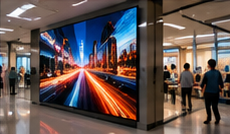

Transport operators face a practical challenge: selecting digital signage hardware that remains readable and reliable, whether installed in indoor waiting rooms or on weather-exposed platforms. The wrong choice leads to unreadable screens, frequent downtime, or costly servicing. This guide explains how to match screens and media players to their environment, with concrete checks for glare, dust, sightlines, network and maintenance access. We include on-site readability and restart tests, helping you verify your setup before full deployment.
Key Takeaways
- Choose manufacturer-rated hardware for the specific environment: indoor vs weather-exposed.
- Verify on-site readability and restart behavior before rollout.
- Plan for ongoing maintenance access, not just initial installation.
Comparing Indoor and Outdoor Transit Environments
Transit signage is deployed in two typical scenarios:
- Indoor waiting areas (e.g., bus terminals, train station concourses): Sheltered from direct weather, but may face high footfall, dust and variable lighting from windows or overhead fixtures.
- Weather-exposed locations (e.g., open platforms, bus stops): Subject to sunlight, rain, wind-blown dust, and temperature fluctuations.
Each environment demands different hardware features. Relying on standard office displays outdoors can quickly lead to failures or unreadable screens.
Hardware Selection Criteria
On smaller screens, scroll sideways to view every column.| Feature | Indoor Waiting Area | Weather-Exposed Location | Notes |
|---|---|---|---|
| Brightness (nits) | Validate in the actual indoor lighting | Demonstrate readability in expected daylight | Compare contrast, reflections and manufacturer operating limits |
| Anti-glare | Recommended | Essential | Reduces reflections |
| Dust protection | Recommended | Essential | Look for manufacturer dust resistance |
| Weather sealing | Assess humidity and exposure | Use equipment rated for the assessed exposure | Check manufacturer rating |
| Accessible ports | Easy | Sealed or covered | Limits exposure outdoors |
| Maintenance access | Rear or side | Front preferred | Outdoor: avoid removing enclosure |
Manufacturer Ratings
Always select hardware with manufacturer-stated suitability for the intended site. For outdoor use, this means displays and players rated for exposure to dust and moisture, with appropriate brightness and anti-glare treatment. For indoor but dusty or high-traffic areas, look for displays with enhanced dust protection and robust enclosures.
Visibility and Sightlines
Even the most durable screen is useless if passengers cannot read it. Assess these factors on-site:
- Glare: Position screens to minimize direct sunlight or overhead reflections. Use anti-glare glass where possible.
- Brightness: Test display visibility at different times of day. Outdoor screens must remain readable in full sun.
- Sightlines: Mount at a height and angle visible from typical waiting or walking positions. Avoid obstructing pillars or signage.
Power and Network Availability
Confirm that each location has reliable power and, if remote updates are needed, network connectivity. Outdoor sites may require weather-sealed power and network connections. For locations with unreliable connectivity, select a player that supports offline playback of cached content on compatible hardware.
Maintenance Access Planning
Routine servicing is often overlooked. Plan for:
- Physical access: Can staff reach the screen and player safely for cleaning or repair, even at busy times?
- Enclosure design: Choose front or rear service access according to the actual site and the manufacturer’s maintenance procedure.
- Replacement: Is it possible to swap out a failed player or display quickly, without specialist tools?
On-Site Readability and Restart Tests
Before approving any installation, conduct these practical tests:
- Readability Check: At several times of day, review the screen from typical viewing distances and angles. Confirm that text and graphics are clear and legible under changing lighting conditions.
- Restart Test: Power-cycle each screen and media player to confirm that hardware restarts and resumes operation without manual intervention. If your signage software and player combination supports automatic playback after restart, verify this on-site. If not, note any required manual steps and assess their operational impact.
Common Pitfall: Ignoring Maintenance Constraints
Many transit deployments struggle because maintenance access is not considered. For example, an outdoor screen mounted high on a platform canopy may require scaffolding for even minor servicing. Choose locations and hardware that allow quick, safe access for cleaning, repairs, or player swaps. This reduces downtime and lifetime costs.
Conclusion
Successful transit signage depends on matching hardware to the environment and planning for real-world use. Always select manufacturer-rated displays and players, verify visibility and restart behavior on-site, and ensure ongoing maintenance is practical. Careful preparation avoids costly mistakes and ensures reliable information for passengers.
Related Reading
- Transit Signage: A 90-Day Passenger Information Pilot
- Passenger Display Content: Access and Accuracy Checks
Try this with your own screens
During your trial, install a test screen in a real waiting area or platform. Assess readability at different times and power-cycle the system to check if your chosen hardware and player resume display without manual steps.
Discuss your setup for your screen requirements.




